
Privacy and compliance
Automated WCAG 2.1 AA checks for pages, posts and products, with a score per page and fix hints.
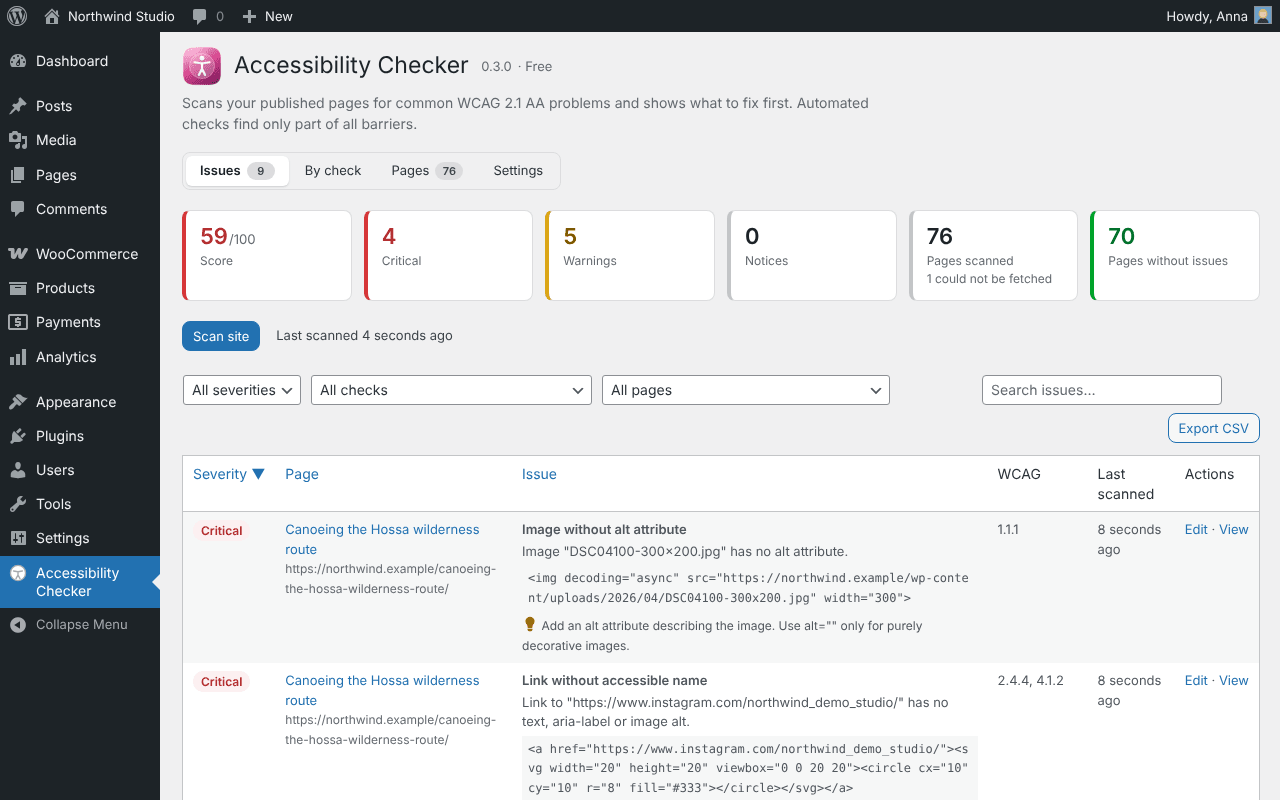
Coming to WordPress.orgScans the rendered HTML of your home page, pages, posts and WooCommerce products for common WCAG 2.1 AA problems and tells you, page by page, what to fix first, to prepare for the European Accessibility Act.
Free
- Images without alt text or with meaningless alt text
- Empty links and buttons, vague link text, form fields without labels
- Heading structure, missing page language, zoom disabled, iframes without title
- Data tables without header cells, positive tabindex, autoplaying media, duplicate ids, a missing skip link
- Colour contrast where both colours are set inline, for example by block editor colour settings
- A score from 0 to 100 per page, the exact element, and fixes that repair many pages at once
Free in full: no paid features. Accessibility Checker is also part of Clearyvo Pro, the all-in-one plugin with every site checker.
Good to Know
- Automated checks find many, not all, accessibility problems; a manual review with a keyboard and a screen reader is still needed.
Where to Get It
Accessibility Checker is the free plugin Clearyvo Accessibility Checker. With Site Toolkit or a second Clearyvo checker it moves under one Site Toolkit menu and counts in the Site health score. Clearyvo Pro contains it too: with Clearyvo Pro you do not need the separate plugin.
WordPress 6.2, PHP 7.4. English interface.
How to Check a WordPress Site for Accessibility Issues
- Install the free Clearyvo Accessibility Checker plugin: under Plugins → Add New Plugin once it is on WordPress.org, or with the download button on this page (then Plugins → Add New Plugin → Upload Plugin). With Site Toolkit you can also add it under Site Toolkit → Modules.
- Open Accessibility Checker in the WordPress admin (under Site Toolkit when you use more than one Clearyvo plugin) and run the check. It works in short steps, so it finishes on shared hosting and large sites too.
- Read the report. Nothing on the site changes until you tick an item and confirm.
Related Checkers
- Privacy Audit: Every third party your pages contact before the visitor agrees, the cookies set, and which plugin adds them.